> For the complete documentation index, see [llms.txt](https://docs.xbstation.com/llms.txt). Markdown versions of documentation pages are available by appending `.md` to page URLs; this page is available as [Markdown](https://docs.xbstation.com/xblink-mini/user-manual/getting-started/xblink-webapp.md).
# XBLink-WebApp
With XBLink Mini, All configs will be done via WebApp.
Web interface to easily configure and communicate with XBLink.
{% hint style="success" %}
When you buy XBLink Mini, it is ready to use. Nothing to do. This section is useful when you want to upgrade new firmware, check device or re-login new account.
{% endhint %}
## Connect XBLink to WebApp
We support 3 method to connect to WebApp as below:
1. [**Connect via Hotspot**](#hotspot)
2. [**Connect via LAN network**](#lan-network)
***
### Hotspot
You can easily connect WedApp via Wifi hotspot from your phone, table or PC.
1. Turn on XBlink.
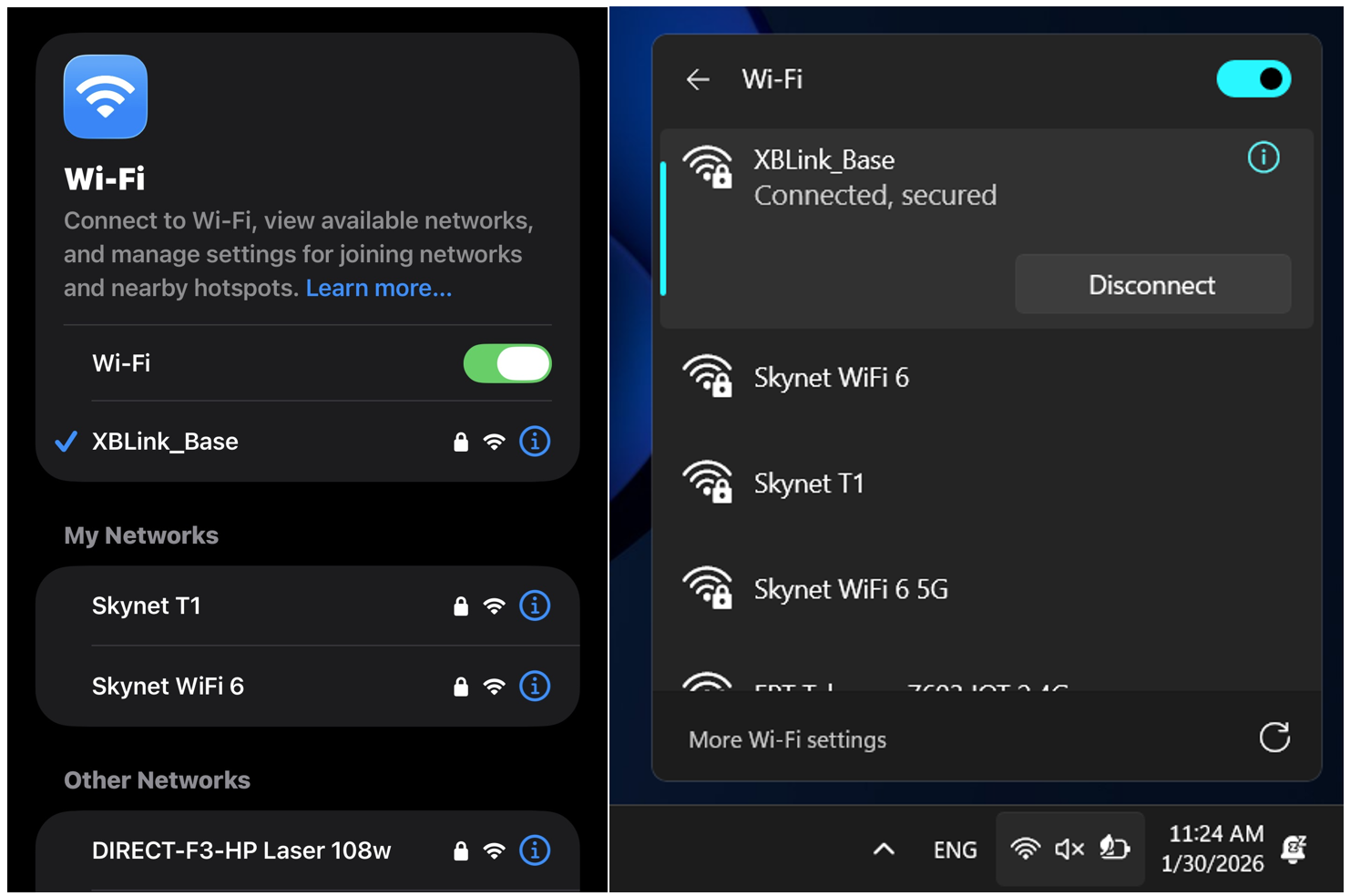
2. Connect your PC/Phone to XBLink Wifi Hotspot
```
Name: XBLINK_your_account
Pass: xbstation.com
```
3. Open web browser on PC/Phone and go to this address ****
### LAN network
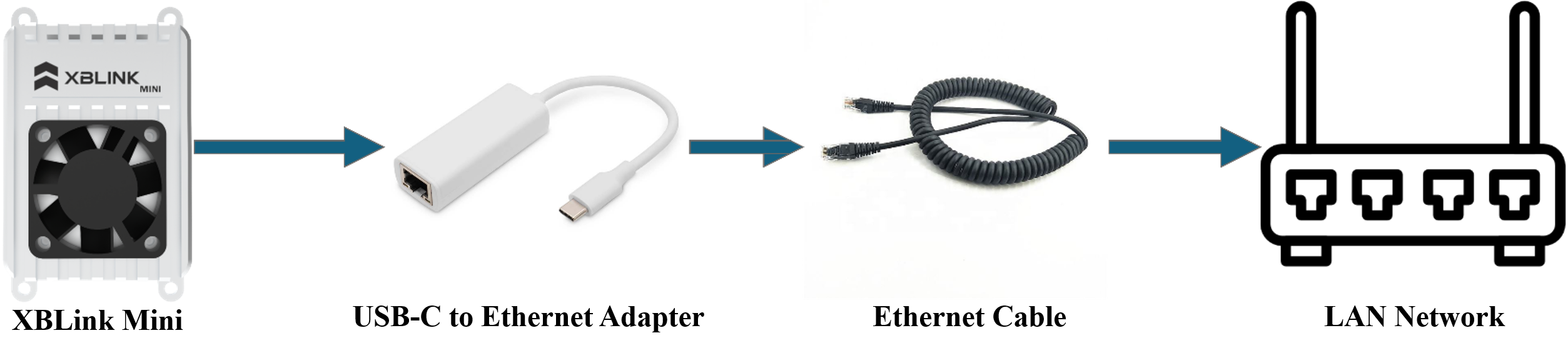
1. Connect Ethernet Cable (**only supported Cat6**) to your LAN network. Then, plug it into ETH port of XBLink via a USB type-C to Ethernet Adapter.
2. Turn on XBLink.
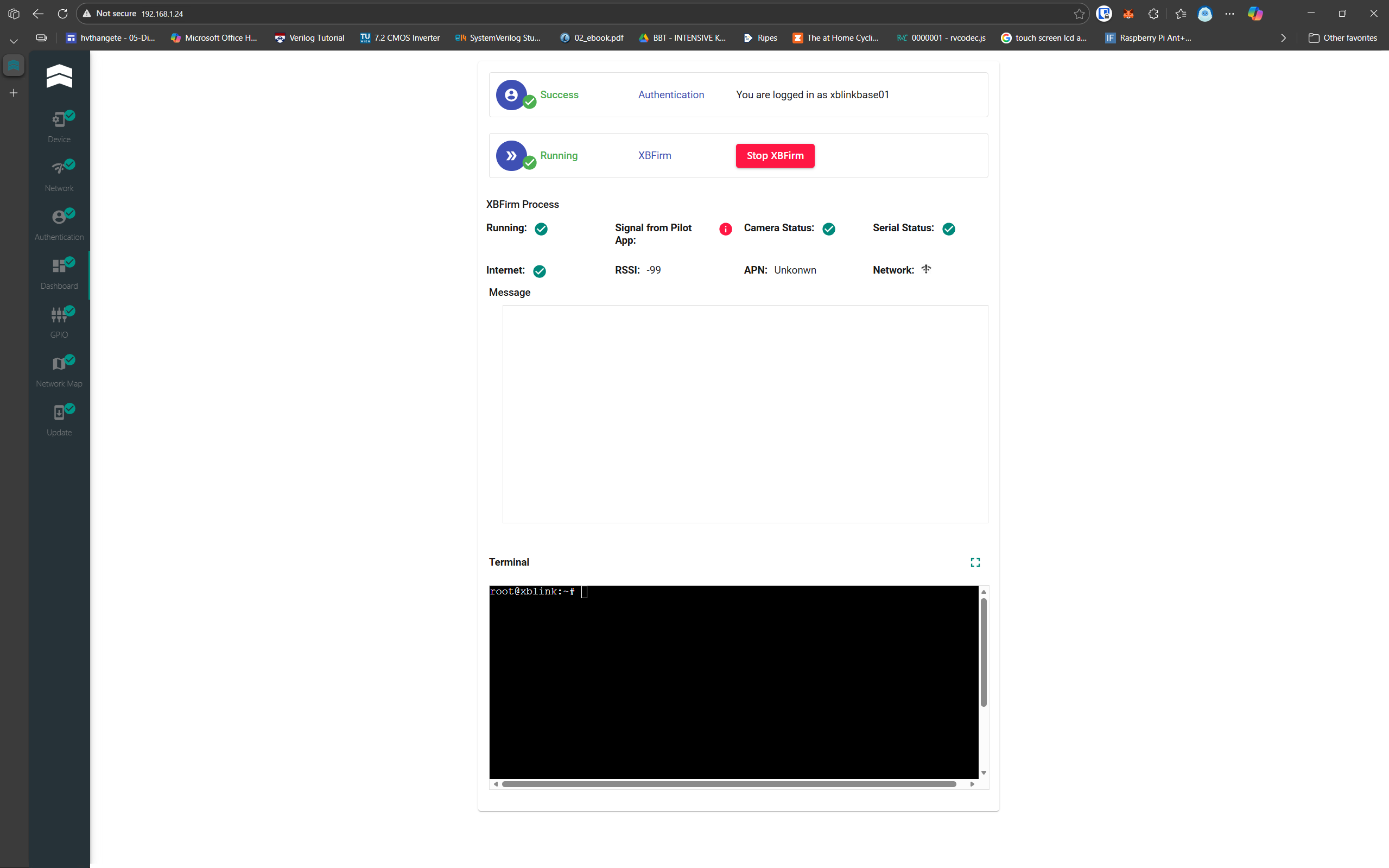
3. Open web browser on PC/Phone and go to this address **XBLink IP (Example: 192.168.1.24)**
{% hint style="warning" %}
If you can't find your **XBLink IP**, please use Advanced IP Scanner to find it: [here](https://www.advanced-ip-scanner.com/vi/)
{% endhint %}