> For the complete documentation index, see [llms.txt](https://docs.xbstation.com/llms.txt). Markdown versions of documentation pages are available by appending `.md` to page URLs; this page is available as [Markdown](https://docs.xbstation.com/xblink-5g-r2/user-manual/getting-started/xblink-webapp/config-network.md).
# Config Network
This article show you how to check and config a lot of useful information of cellular module
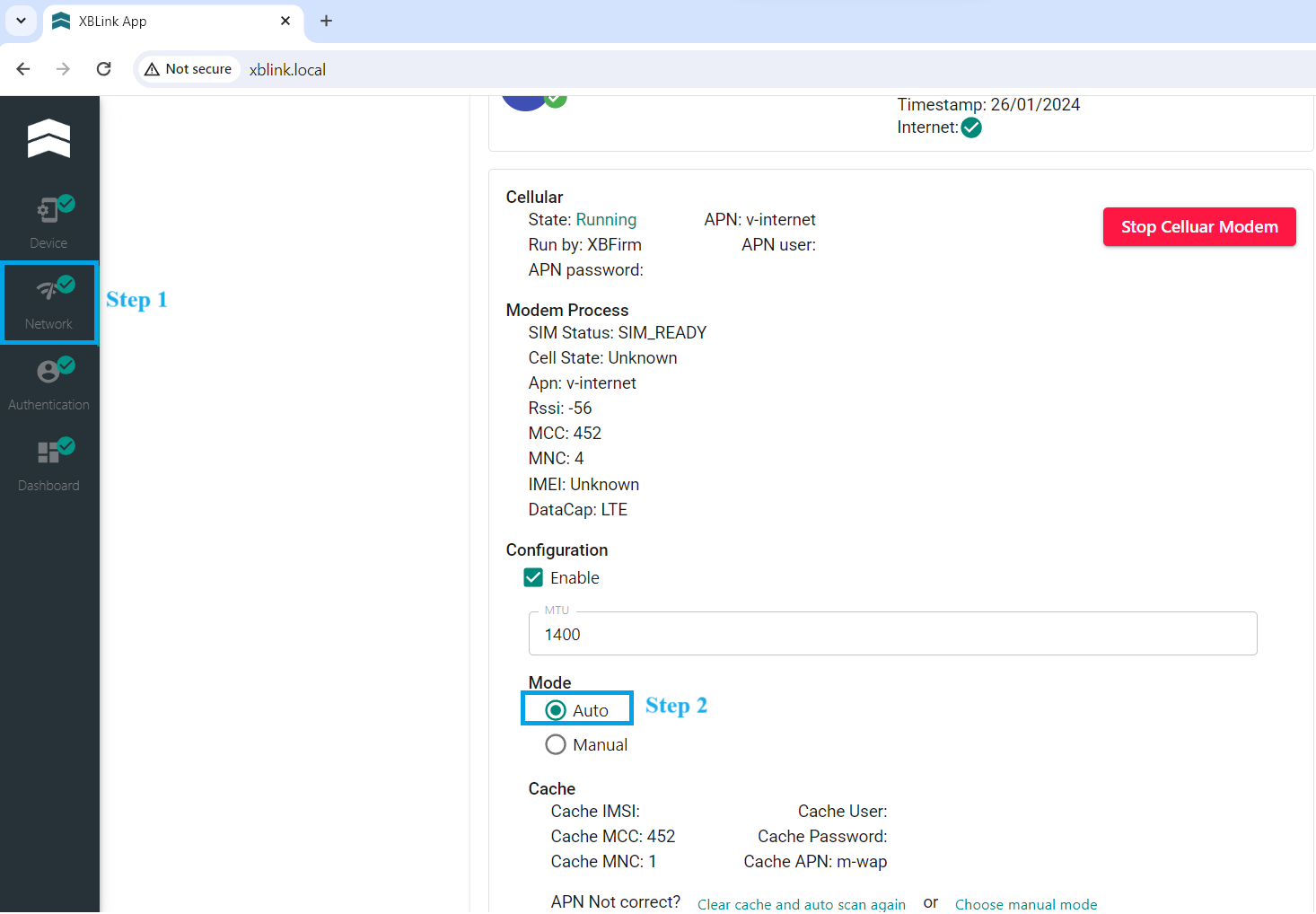
After connecting successfully to [**WebApp**](/xblink-5g-r2/user-manual/getting-started/xblink-webapp.md). Click to **Network**.
## APN Setting
We have 2 ways to configure the APN: **Auto** and **Manual**. XBLink supports Automatic APN detection (Default).
### **Auto**
When you insert SIM into XBLink, APN configuration is automatically Auto mode. This meaning is XBLink use information of your SIM such as Cache MCC and Cache MNC to search and choose a proper APN.
{% hint style="info" %}
You must **Stop Cellular Modem** and **Start Cellular Modem** to have valid command.
{% endhint %}
### **Manual**
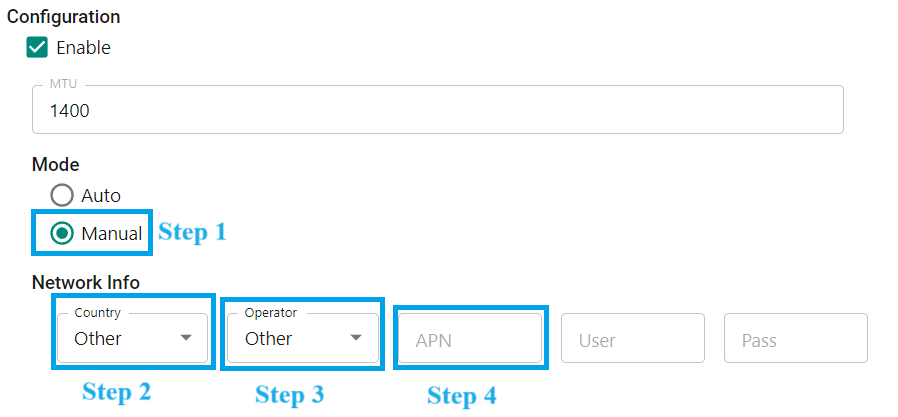
You also can choose Manual mode up to your country and network provider.
{% hint style="info" %}
You must **Stop Cellular Modem** and **Start Cellular Modem** to have valid command.
{% endhint %}
In case you can't find suitable network operator in this list, please choose both **Country** and **Operator** section are **Other**, then typing into **APN** section.
{% hint style="info" %}
You must **Stop Cellular Modem** and **Start Cellular Modem** to have valid command.
{% endhint %}